More and more, your listeners want to watch your show, not just hear it. And in 2026, Apple Podcasts became one more place they can watch, with a built-in video experience of its own.
So here’s what’s new:
You can publish your video episodes to Apple Podcasts right from CoHost, in the same place you already publish everywhere else. Choose Apple, hit publish, and your show lands in front of the people watching there. It’s that simple.
Apple has some fussy technical requirements for video behind the scenes, and from now on, you’ll never have to touch them. We handle all of that for you, so getting onto Apple is as easy as publishing anything else in CoHost.
Below, we’ll cover everything you need to know about our latest feature, Apple Video:
Introducing Apple Video
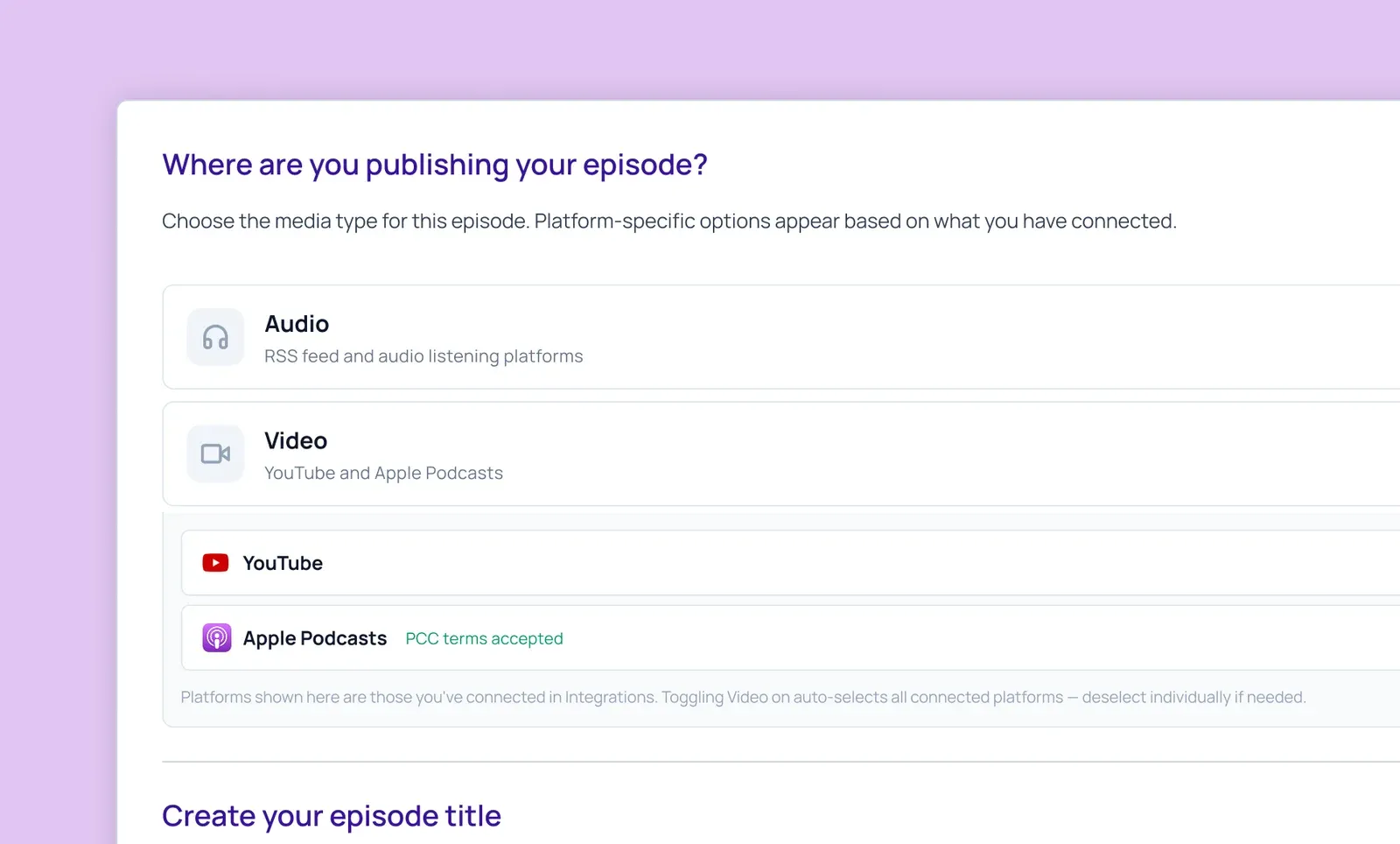
Publishing to Apple works just like everything else in CoHost. Open the video episode flow, and Apple Podcasts is right there as a destination you can pick.
- You choose where each episode goes: When publishing new episodes, select whether they go out as video, audio-only, or both. The destinations are independent, so you’re never locked into one to get the other.
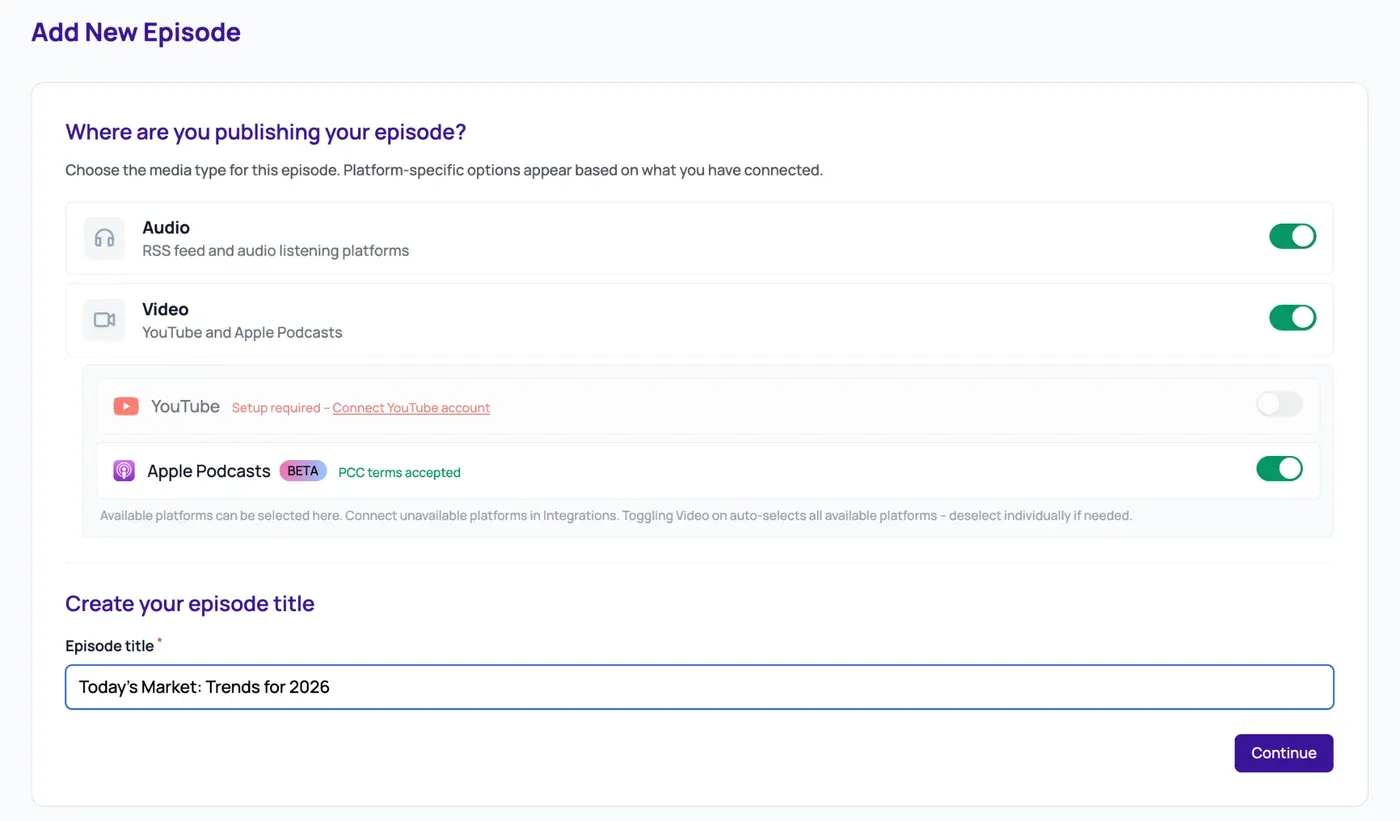
- We handle the technical side: Apple has strict rules for how video needs to be formatted before it can go live. Doing that by hand is a real headache, so we don’t ask you to. Upload your video, hit publish, and CoHost takes care of the formatting, checks, and submission to Apple behind the scenes.
Two more things happen automatically, with no extra work from you:
- Chapter markers on your video: Listeners on Apple can jump straight to the part of episodes they want, and you never time-code a thing.
- One-click transcript publishing: Once you’ve reviewed a transcript in the editor, send it to Apple yourself, no support ticket needed.
What this means for you: Reaching the people watching on Apple doesn’t add a project to your plate. It’s the same publish button you already use, with the hard parts handled for you.
How to enable Apple Video on CoHost
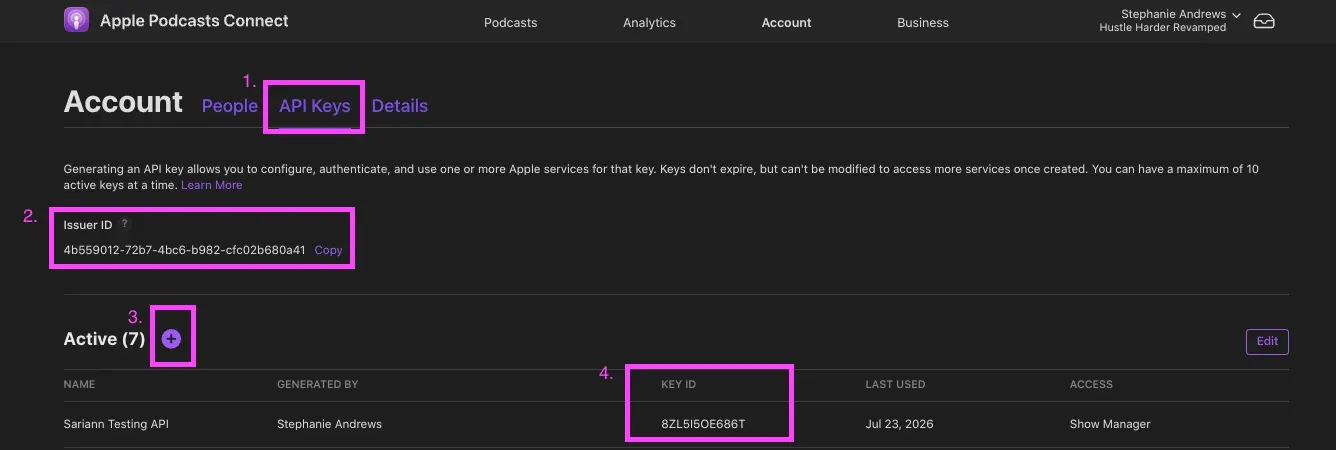
There’s a quick one-time setup before you publish your first Apple video, and part of it happens on Apple’s side, not just ours. The good news is you only do it once per show, and the walkthrough video below (plus our step-by-step setup guide) takes you through every step.

Here’s the recap:
- Give your show the go-ahead on Apple: Request video access inside Apple Podcasts Connect. It’s a quick opt-in.
- Connect your show to CoHost: Add your Apple key so we can publish on your behalf, and accept Apple’s and CoHost’s terms in the flow. Once that’s done, you won’t touch it again for future episodes.
What to expect after you publish
Once you’re set up, publishing is simple, with one quirk worth knowing: Submitted isn’t the same as live.
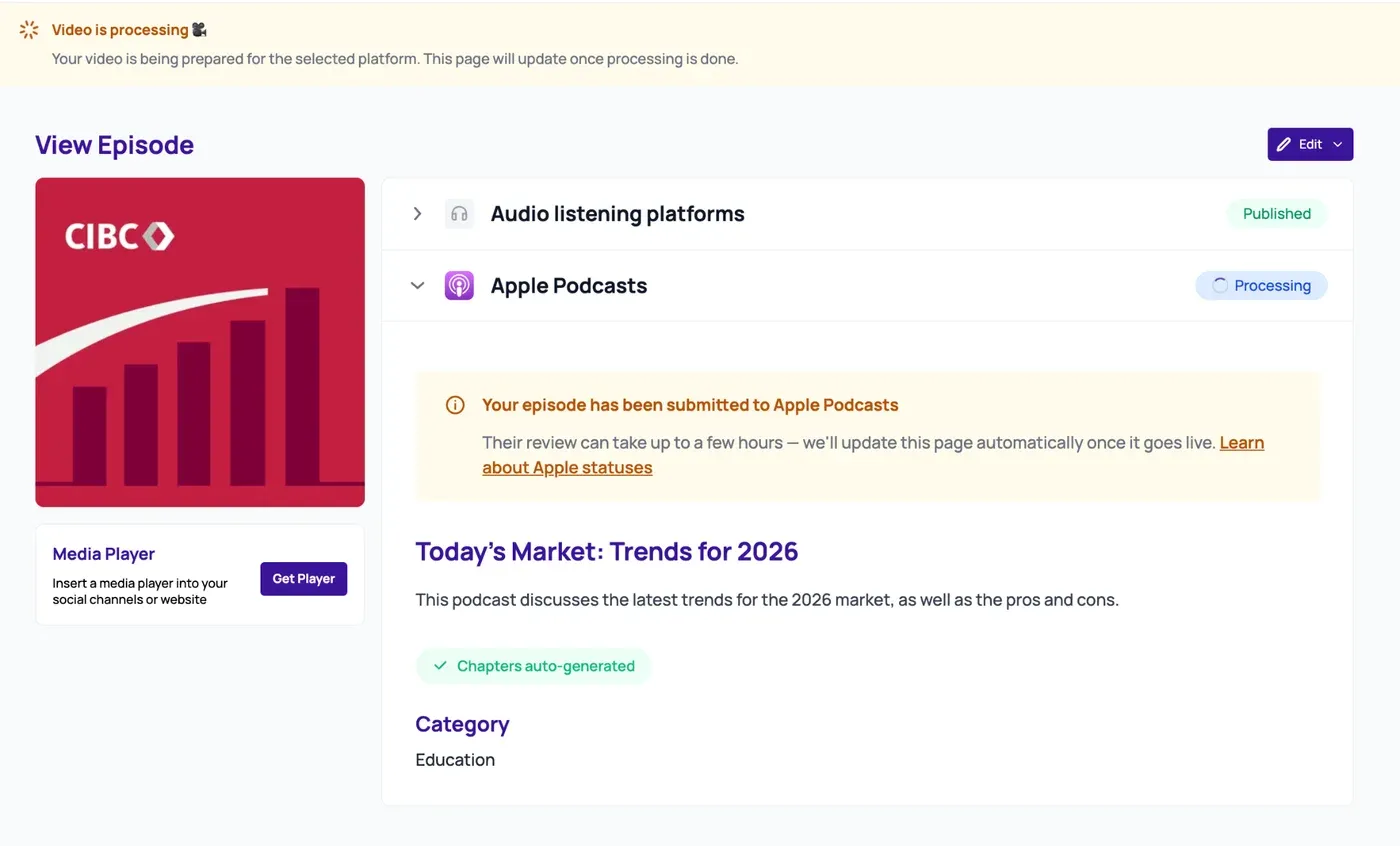
When you hit publish, our job is to get your episode to Apple correctly. Once we have, you’ll see it marked as submitted, and you can close the tab and walk away. From there, Apple reviews it on their own schedule before it goes live to listeners.
You’ll always know where things stand, because we show the status for Apple and your audio feed separately. So if your audio is already live while Apple is still reviewing your video, don’t be alarmed; that’s expected.
What do I need to set up my first video?
You’ll need to request video access for your show from Apple in Apple Podcasts Connect, then generate an Apple API key and provide CoHost with three values from it (we’ll tell you what we need) so we can submit video episodes on your behalf. You’ll also accept Apple’s podcaster terms and CoHost’s terms in the flow. It’s just a one-time thing, not something you repeat for every episode. Check out the video walkthrough above to see each step.
What video files can I upload?
You can upload standard video formats (MP4, M4V, and MOV) in landscape, and CoHost produces the versions Apple needs from there. See the table below for details:
| Requirement | Detail |
|---|---|
| Accepted formats | MP4, M4V, or MOV only |
| Max file size | 10 GB |
| Max duration | 2 hours |
| Aspect ratio | 16:9 landscape |
| Frame rate | Up to 30 fps |
| Audio | Must include an audio track; video-only files aren't accepted |
The bottom line: Apple Podcasts on CoHost
Video has become part of the baseline for a podcast, not an extra. YouTube, Spotify, and now Apple all give your show a place to be watched, and listeners move between them without thinking twice. The brands that treat their show like a real channel are the ones showing up consistently in all of those places.
This new feature makes publishing your video podcast to Apple effortless. Simply publish a video episode to Apple Podcasts and your audio feed from one flow, and let CoHost handle Apple’s technical format end-to-end.
If you want to see how it fits into the way you already publish, book a demo, and we’ll walk you through it. And if you’re already on CoHost, enable Apple video publishing and launch your first video to Apple using our setup guide.